Loading course details…
Nash Community College · 3 credits · UGRD
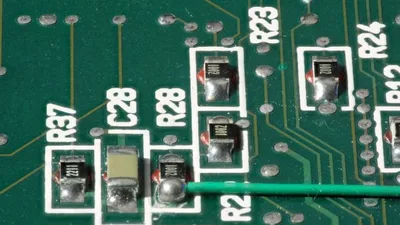
This course introduces computer concepts, including fundamental functions and operations of the computer. Topics include identification of hardware components, basic computer operations, security issues, and use of software applications. Upon completion, students should be able to demonstrate an understanding of the role and function of computers and use the computer to solve problems.
Fall 2026 · 8 sections
| Section | Days & time | Location | Instructor |
|---|---|---|---|
| B01Class #0071792-CIS-110-B01 | Tuesday 9:00 AM - 10:40 AM D Bldg 4222 (Lab/Shop Hours)Sunday, Monday, Tuesday, Wednesday, Thursday, Friday, Saturday 9:00 AM - 10:40 AM Times TBD Online ONLINE (Classroom Hours)Aug 17 – Dec 14 | D Bldg 4222Online ONLINE | Johnson, J |
| B01 notes: BLENDED COURSE This course is a blended format whereby instruction is both face-to-face and online. Up to 50% of the total contact hours per week may be scheduled for the online portion at the instructor's discretion. Students are expected to attend scheduled class sessions as well as complete online assignments to be successful in the class. Webcam, microphone, computer, and reliable high-speed Internet access are required. Online exams may be proctored. INCLUSIVE ACCESS Students registering for this course will have instant access to the required course e-book and courseware. The costs of these materials are listed as a line item on the student's registration schedule. Students may contact the business office at (252) 451-8239 with questions about billing. Students have the option in Moodle to opt out of Inclusive Access, but they should discuss the potential ramifications of doing so with their instructor PRIOR to opting out. For some courses, opting out will result in a loss of access to graded assignments and will negatively impact the student's ability to complete coursework. WINDOWS PC This course requires access to a Windows PC. | |||
| B02Class #0071793-CIS-110-B02 | Thursday 11:00 AM - 12:40 PM D Bldg 4222 (Lab/Shop Hours)Sunday, Monday, Tuesday, Wednesday, Thursday, Friday, Saturday 11:00 AM - 12:40 PM Times TBD Online ONLINE (Classroom Hours)Aug 17 – Dec 14 | D Bldg 4222Online ONLINE | Johnson, J |
|---|---|---|---|
| B02 notes: BLENDED COURSE This course is a blended format whereby instruction is both face-to-face and online. Up to 50% of the total contact hours per week may be scheduled for the online portion at the instructor's discretion. Students are expected to attend scheduled class sessions as well as complete online assignments to be successful in the class. Webcam, microphone, computer, and reliable high-speed Internet access are required. Online exams may be proctored. INCLUSIVE ACCESS Students registering for this course will have instant access to the required course e-book and courseware. The costs of these materials are listed as a line item on the student's registration schedule. Students may contact the business office at (252) 451-8239 with questions about billing. Students have the option in Moodle to opt out of Inclusive Access, but they should discuss the potential ramifications of doing so with their instructor PRIOR to opting out. For some courses, opting out will result in a loss of access to graded assignments and will negatively impact the student's ability to complete coursework. WINDOWS PC This course requires access to a Windows PC. | |||
| OL01CClass #0071794-CIS-110-OL01C | Sunday, Monday, Tuesday, Wednesday, Thursday, Friday, Saturday Times TBD Online ONLINE (Classroom Hours)Aug 17 – Dec 14 | Online ONLINE | Vester, A |
|---|---|---|---|
| OL01C notes: ONLINE COURSE A webcam, microphone, computer, and reliable high-speed internet access are required. Students should log into the course on the start date and complete the Enrollment Verification Activity to be counted as "present" and to avoid being dropped for non-attendance. Some Nash Community College online courses require proctored exams where students share their screen, webcam, and audio in order to maintain academic integrity and authenticate testing protocols. To respect individual privacy, students can choose their location to complete the exams. It is recommended that students be in a distraction-free environment and be comfortable with recording their surroundings. Students also have the option of completing the proctored exams in the Library on the Nash Community College campus during the college's operating hours. INCLUSIVE ACCESS Students registering for this course will have instant access to the required course e-book and courseware. The costs of these materials are listed as a line item on the student's registration schedule. Students may contact the business office at (252) 451-8239 with questions about billing. Students have the option in Moodle to opt out of Inclusive Access, but they should discuss the potential ramifications of doing so with their instructor PRIOR to opting out. For some courses, opting out will result in a loss of access to graded assignments and will negatively impact the student's ability to complete coursework. WINDOWS PC This course requires access to a Windows PC. CONCURRENT This course is concurrent with Continuing Education. | |||
| OL02Class #0071795-CIS-110-OL02 | Sunday, Monday, Tuesday, Wednesday, Thursday, Friday, Saturday Times TBD Online ONLINE (Classroom Hours)Aug 17 – Dec 14 | Online ONLINE | Floyd, N |
|---|---|---|---|
| OL02 notes: ONLINE COURSE A webcam, microphone, computer, and reliable high-speed internet access are required. Students should log into the course on the start date and complete the Enrollment Verification Activity to be counted as "present" and to avoid being dropped for non-attendance. Some Nash Community College online courses require proctored exams where students share their screen, webcam, and audio in order to maintain academic integrity and authenticate testing protocols. To respect individual privacy, students can choose their location to complete the exams. It is recommended that students be in a distraction-free environment and be comfortable with recording their surroundings. Students also have the option of completing the proctored exams in the Library on the Nash Community College campus during the college's operating hours. INCLUSIVE ACCESS Students registering for this course will have instant access to the required course e-book and courseware. The costs of these materials are listed as a line item on the student's registration schedule. Students may contact the business office at (252) 451-8239 with questions about billing. Students have the option in Moodle to opt out of Inclusive Access, but they should discuss the potential ramifications of doing so with their instructor PRIOR to opting out. For some courses, opting out will result in a loss of access to graded assignments and will negatively impact the student's ability to complete coursework. WINDOWS PC This course requires access to a Windows PC. | |||
| OL03Class #0071796-CIS-110-OL03 | Sunday, Monday, Tuesday, Wednesday, Thursday, Friday, Saturday Times TBD Online ONLINE (Classroom Hours)Aug 17 – Dec 14 | Online ONLINE | Floyd, N |
|---|---|---|---|
| OL03 notes: ONLINE COURSE A webcam, microphone, computer, and reliable high-speed internet access are required. Students should log into the course on the start date and complete the Enrollment Verification Activity to be counted as "present" and to avoid being dropped for non-attendance. Some Nash Community College online courses require proctored exams where students share their screen, webcam, and audio in order to maintain academic integrity and authenticate testing protocols. To respect individual privacy, students can choose their location to complete the exams. It is recommended that students be in a distraction-free environment and be comfortable with recording their surroundings. Students also have the option of completing the proctored exams in the Library on the Nash Community College campus during the college's operating hours. INCLUSIVE ACCESS Students registering for this course will have instant access to the required course e-book and courseware. The costs of these materials are listed as a line item on the student's registration schedule. Students may contact the business office at (252) 451-8239 with questions about billing. Students have the option in Moodle to opt out of Inclusive Access, but they should discuss the potential ramifications of doing so with their instructor PRIOR to opting out. For some courses, opting out will result in a loss of access to graded assignments and will negatively impact the student's ability to complete coursework. WINDOWS PC This course requires access to a Windows PC. | |||
| OL04Class #0071797-CIS-110-OL04 | Sunday, Monday, Tuesday, Wednesday, Thursday, Friday, Saturday Times TBD Online ONLINE (Classroom Hours)Aug 17 – Dec 14 | Online ONLINE | Floyd, N |
|---|---|---|---|
| OL04 notes: ONLINE COURSE A webcam, microphone, computer, and reliable high-speed internet access are required. Students should log into the course on the start date and complete the Enrollment Verification Activity to be counted as "present" and to avoid being dropped for non-attendance. Some Nash Community College online courses require proctored exams where students share their screen, webcam, and audio in order to maintain academic integrity and authenticate testing protocols. To respect individual privacy, students can choose their location to complete the exams. It is recommended that students be in a distraction-free environment and be comfortable with recording their surroundings. Students also have the option of completing the proctored exams in the Library on the Nash Community College campus during the college's operating hours. INCLUSIVE ACCESS Students registering for this course will have instant access to the required course e-book and courseware. The costs of these materials are listed as a line item on the student's registration schedule. Students may contact the business office at (252) 451-8239 with questions about billing. Students have the option in Moodle to opt out of Inclusive Access, but they should discuss the potential ramifications of doing so with their instructor PRIOR to opting out. For some courses, opting out will result in a loss of access to graded assignments and will negatively impact the student's ability to complete coursework. WINDOWS PC This course requires access to a Windows PC. | |||
| OL60Class #0071806-CIS-110-OL60 | Sunday, Monday, Tuesday, Wednesday, Thursday, Friday, Saturday Times TBD Online ONLINE (Classroom Hours)Aug 31 – Dec 14 | Online ONLINE | Armwood, T |
|---|---|---|---|
| OL60 notes: LATE START CLASS This is a late start class. Refer to the start date listed. This course has an altered schedule from a traditional semester. ONLINE COURSE A webcam, microphone, computer, and reliable high-speed internet access are required. Students should log into the course on the start date and complete the Enrollment Verification Activity to be counted as "present" and to avoid being dropped for non-attendance. Some Nash Community College online courses require proctored exams where students share their screen, webcam, and audio in order to maintain academic integrity and authenticate testing protocols. To respect individual privacy, students can choose their location to complete the exams. It is recommended that students be in a distraction-free environment and be comfortable with recording their surroundings. Students also have the option of completing the proctored exams in the Library on the Nash Community College campus during the college's operating hours. INCLUSIVE ACCESS Students registering for this course will have instant access to the required course e-book and courseware. The costs of these materials are listed as a line item on the student's registration schedule. Students may contact the business office at (252) 451-8239 with questions about billing. Students have the option in Moodle to opt out of Inclusive Access, but they should discuss the potential ramifications of doing so with their instructor PRIOR to opting out. For some courses, opting out will result in a loss of access to graded assignments and will negatively impact the student's ability to complete coursework. WINDOWS PC This course requires access to a Windows PC. | |||
| WSOL1Class #0072696-CIS-110-WSOL1 | Sunday, Monday, Tuesday, Wednesday, Thursday, Friday, Saturday Times TBD Online ONLINE (Classroom Hours)Dec 1 – Dec 31 | Online ONLINE | TBA, T |
|---|---|---|---|
| WSOL1 notes: LATE START CLASS This is a late start class. Refer to the start date listed. This course has an altered schedule from a traditional semester. WINTER SESSION This course is highly accelerated, whereby students are required to complete the course content in one month. ONLINE COURSE A webcam, microphone, computer, and reliable high-speed internet access are required. Students should log into the course on the start date and complete the Enrollment Verification Activity to be counted as "present" and to avoid being dropped for non-attendance. Some Nash Community College online courses require proctored exams where students share their screen, webcam, and audio in order to maintain academic integrity and authenticate testing protocols. To respect individual privacy, students can choose their location to complete the exams. It is recommended that students be in a distraction-free environment and be comfortable with recording their surroundings. Students also have the option of completing the proctored exams in the Library on the Nash Community College campus during the college's operating hours. INCLUSIVE ACCESS Students registering for this course will have instant access to the required course e-book and courseware. The costs of these materials are listed as a line item on the student's registration schedule. Students may contact the business office at (252) 451-8239 with questions about billing. Students have the option in Moodle to opt out of Inclusive Access, but they should discuss the potential ramifications of doing so with their instructor PRIOR to opting out. For some courses, opting out will result in a loss of access to graded assignments and will negatively impact the student's ability to complete coursework. WINDOWS PC This course requires access to a Windows PC. | |||